How to Set Up Author Schema Markup for Lifestyle Blogs
How to Set Up Author Schema Markup for Lifestyle Blogs
Running a modern lifestyle blog feels like walking an algorithmic tightrope. You spend days photographing recipes, testing skincare products, or designing home spaces, only to watch your organic rankings slip after a routine search update. If you do not know how to set up author schema markup for lifestyle blogs, search crawlers see your hard work as anonymous advice. Google treats lifestyle topics—from holistic wellness routines to personal financial choices—under strict Experience, Expertise, Authoritativeness, and Trustworthiness (E-E-A-T) standards. Without structured data, automated bots cannot tell if you are a seasoned stylist, a certified trainer, or someone copying generic internet tips.
Table of Contents
- Why Search Engines Question Your Lifestyle Blog Authority
- What Causes Rich Snippet Failures and Schema Validation Errors in Lifestyle Niches?
- How to Audit and Diagnose Broken Author Schema on Your Blog
- Quick Fixes for Common Issues in Author Schema Markup for Lifestyle Blogs
- How to Build a Complete Person Entity Graph for Lifestyle Creators
- How Do You Implement Custom Author JSON-LD Without Breaking Existing CMS Code?
- Why Ongoing Entity Maintenance Prevents Future E-E-A-T Devaluations
- Securing Your Digital Footprint as an Authoritative Lifestyle Voice
Search engines do not read pages the way humans do. When an indexing crawler scans an article detailing a morning skincare regimen, it looks for machine-readable signals confirming who wrote the piece and whether they carry proven hands-on experience. A standard byline that simply says “Posted by Sarah” inside an HTML span tag offers zero proof. Anyone can write “Sarah” on a webpage. Because lifestyle sites frequently touch Your Money or Your Life (YMYL) adjacent subjects—like physical health, mental wellbeing, and personal finance—search quality raters and ranking algorithms demand unambiguous identity verification.
Standard content management systems make this problem worse. WordPress, Ghost, and Squarespace usually generate flat author archives that treat your name as a basic taxonomy term instead of a unique human entity. These built-in fields dump an author archive URL into the source code, but they do not connect you to your real-world footprint across the web. If your blog discusses DIY renovations or plant-based nutrition, algorithms have no way of knowing whether your recommendations come from years of hands-on practice or automated scrapers.
This ambiguity sparks heated debates in search communities. On marketing forums, creators often ask whether manual schema creation beats automated plugins, with many marketers sharing real-world deployment pitfalls when relying on default theme settings. Standard CMS configurations frequently output contradictory data, duplicate author arrays, or missing properties that trigger errors in search developer consoles.
Semantic markup solves this identity crisis. By using JSON-LD (JavaScript Object Notation for Linked Data) to build a structured Person entity, you translate your human credentials into language a machine understands instantly. You can think of schema markup as a digital passport. Just as a passport stamps your country of origin, official identification number, and travel history, a well-formed author schema block links your blog byline to your external portfolio, social profiles, industry publications, and awards.
Choosing the right deployment path depends on your site architecture and budget. Dedicated tools like Schema App offer deep entity customization and dynamic graph generation across complex sites, though its monthly enterprise pricing can stretch small creator budgets. Lighter solutions like Rank Math Pro handle essential author linking directly inside WordPress at an accessible price point, letting you assign custom sameAs arrays, job titles, and biographies with minimal technical friction. Whichever route you take, mastering structured data turns your lifestyle brand into an identifiable authority that algorithms can verify, trust, and reward.
What Causes Rich Snippet Failures and Schema Validation Errors in Lifestyle Niches?
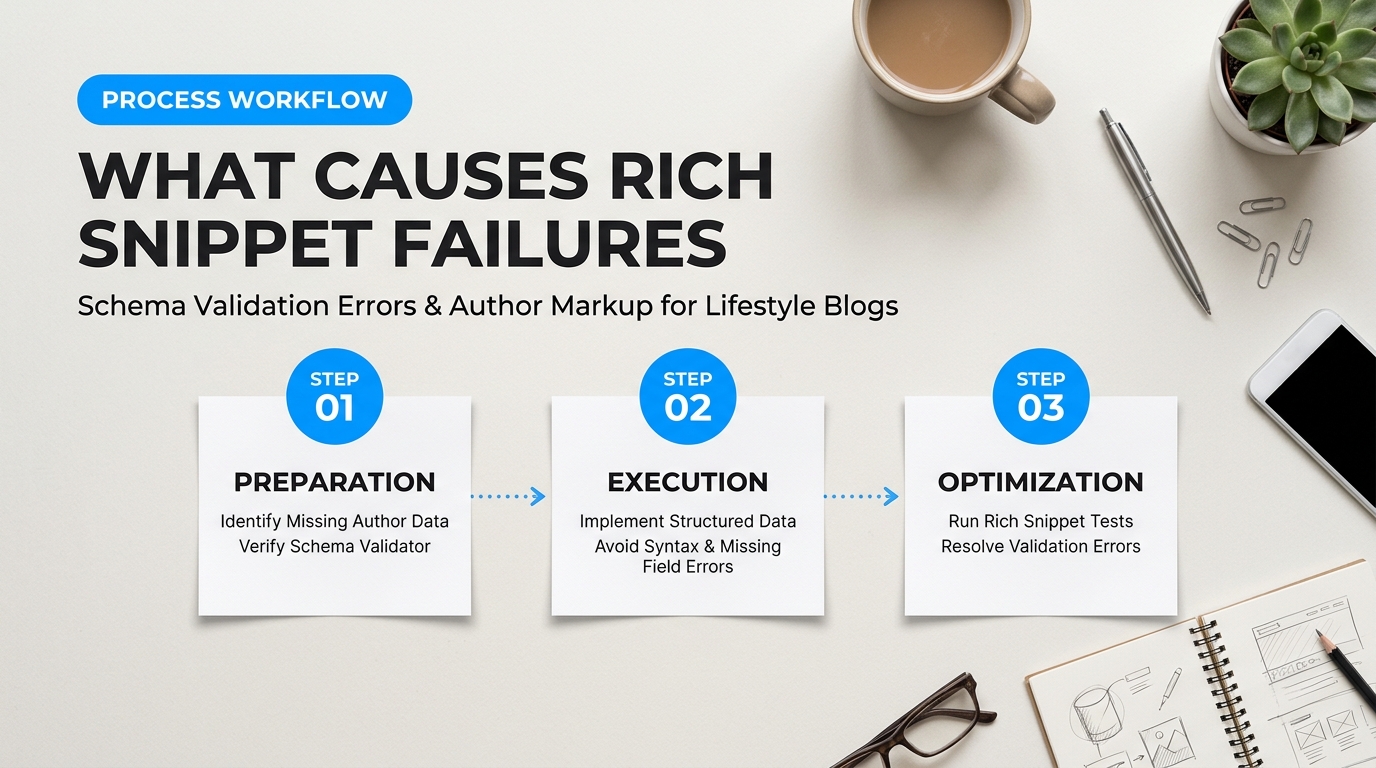
Google Search Console notifications can spoil your morning. You log in hoping to see impressions climbing, but yellow warning banners and red error states greet you instead. Lifestyle sites face this headache far more than standard corporate blogs. Your site isn’t just plain text. You publish seasonal recipes, step-by-step DIY renovations, fashion roundups, and personal family stories. Each content format relies on different visual builders, recipe cards, and affiliate widgets. When all those tools try to talk to search engines at the same time, the signals get crossed.
Search bots need clean, structured data to confirm who wrote a piece. When your setup misfires, search engines cannot verify your personal experience. You miss out on recipe cards, review stars, and top carousel spots.
Structural Conflicts in Author Schema Markup for Lifestyle Blogs
Most validation errors stem from plugin wars happening beneath your WordPress dashboard. Lifestyle bloggers typically rely on specialized plugins. You might run WP Recipe Maker for dinner recipes or Create by Mediavine for weekend craft guides. At the same time, you probably run an all-in-one SEO suite like Yoast SEO or Rank Math to handle site maps and basic metadata.
Here is where things fall apart. Both plugins try to tell Google who you are, but they do not communicate with each other. The recipe card outputs a standalone block of structured data declaring you as a simple creator. Your SEO plugin outputs a separate graph claiming you are the site owner. Google’s Rich Results Test sees two distinct, competing identities on the same URL.
“Our rich snippet traffic dropped by half overnight. We found out our recipe plugin was stripping the author entity entirely, while our theme injected an empty author profile on every refresh.”
As noted in a Reddit discussion on schema compliance pitfalls, unexpected theme interactions create fragile code environments. When plugins fight for control, search crawlers encounter broken nodes and discard your rich snippet eligibility altogether.
The Anatomy of Common Validation Errors
Schema code is like a digital passport. If you leave a field blank or misspell your name, border control stops you. Let’s look at the specific errors that trigger warnings in Google Search Console.
- The String-Only Author Bug: Older themes and unoptimized plugins often output
"author": "Jane Doe". To Google, “Jane Doe” is just a flat line of text, not a living human. Google wants to see a nestedPersonobject containing your profile URL, job title, and verified social channels. Passing a plain text string instead of an object triggers immediate warnings in modern schema validators. - “Missing field: author” Warnings: This happens when a parent schema type—like
Recipe,HowTo, orArticle—fails to link to a creator. If your custom WordPress theme bypasses standard author hooks on custom post types, the schema engine simply leaves the field blank. - Broken Social URL Mappings (
sameAs): ThesameAsproperty tells search engines which external profiles belong to you. Bloggers often paste tracking links, landing pages, or dead accounts into their user profiles. If a search crawler follows your Pinterest or Instagram link and hits a 404 or an intermediate redirect page, it rejects the entity connection.
Evaluating Your Setup: Native SEO Plugins vs. Schema App
Fixing author schema markup for lifestyle blogs requires choosing the right software approach for your technical skill level. Most creators do not write raw JSON-LD by hand. You either rely on your general SEO plugin or install a dedicated schema management platform.
| Feature | Rank Math Pro / Yoast SEO | Schema App |
|---|---|---|
| Ease of Use | Simple toggles inside your standard post editor. | Steeper learning curve; requires entity graph mapping. |
| Conflict Handling | Can clash with standalone recipe and craft plugins. | Overrides theme noise to produce a unified, clean JSON-LD graph. |
| Setup Cost | Low cost; included in regular SEO subscriptions ($60–$90/year). | Enterprise-level pricing (starts around $30/month). |
| Best For | Solo lifestyle creators running standard themes. | Large multi-author publications with custom code stacks. |
For most lifestyle publishers, an SEO plugin like Rank Math or Yoast handles author data well enough—provided you turn off competing schema outputs inside your recipe and DIY cards. If you run a custom-coded theme with dozens of legacy plugins, investing in an enterprise tool like Schema App helps you untangle messy data without rewriting your theme templates from scratch.
Understanding these failure points puts you back in control. When you remove duplicate theme outputs, fix string-only values, and repair your social links, search engines can finally connect your recipes and home projects to your verified digital identity.
How to Audit and Diagnose Broken Author Schema on Your Blog
Most bloggers don’t realize their structured data is broken until impressions quietly drop. You update your WordPress theme, install a new recipe card plugin, or switch your affiliate display widgets. Behind the scenes, these updates collide. They leave behind conflicting fragments that confuse search engine crawlers.
Your bio might look gorgeous on screen. Yet, search crawlers might see a scrambled mess. When search bots encounter syntax errors or missing attributes, they discard your structured identity entirely. Let’s look at how to uncover these silent failures before they harm your authority.
Auditing Author Schema Markup for Lifestyle Blogs: A 3-Step Diagnostic Flow
You don’t need expensive enterprise software to run an effective audit. You can catch most errors with a simple three-step diagnostic sequence:
1. Google Search Console Enhancement Alerts: Start at the macro level. Open your Google Search Console dashboard and head to the Structured Data or Enhancements tab. Search Console will flag critical syntax errors, unparsable structured data, and missing required properties. If Google finds severe syntax errors across your templates, it alerts you here first. The limitation? GSC reports can lag behind by days or weeks. It won’t flag subtle entity disconnection issues if the basic syntax technically parses.
2. Google’s Rich Results Test: Take a representative URL—such as a recent fashion recap, a wellness guide, or a recipe—and run it through the Rich Results Test. This tool evaluates whether your page qualifies for enhanced SERP features. It immediately shows you what Googlebot sees during page rendering. If your code renders dynamically through JavaScript, this test will reveal whether Google renders your markup before timing out.
3. The Schema Markup Validator (schema.org): Google’s Rich Results Test only checks for structured data types that power specific visual search features. It often ignores generic Person, ProfilePage, or Organization nodes. To see your entire entity graph, test that same URL in the Schema Markup Validator. This validator inspects every node against core Schema.org vocabulary specifications, catching underlying structural flaws that Google ignores.
As marketers on Reddit sharing schema deployment pitfalls frequently point out, passing Google’s Rich Results Test does not guarantee that your author entity is linked properly. It only proves your code didn’t trigger a syntax crash.
Inspecting Raw JSON-LD Blocks for Hidden Defects
Visual testing tools highlight errors, but you must know how to inspect raw code to fix them. Right-click any blog post, select “View Page Source,” and search for application/ld+json. When evaluating author schema markup for lifestyle blogs, automated tools alone won’t reveal whether your person entity connects correctly to your broader brand graph. You have to read the raw script tags directly.
Here are the three most common code-level defects found in lifestyle blog markups:
1. Missing Entity IDs (@id)
Think of an @id as a digital passport number. If you publish forty articles under “Chloe Vance” without an @id URI, search engines might treat Chloe as forty different people who happen to share a name. Every Person entity needs a persistent URI:
// INCORRECT: Ambiguous author node without an entity ID
"author": {
  "@type": "Person",
  "name": "Chloe Vance"
}

// CORRECT: Disambiguated entity linked across all posts
"author": {
  "@type": "Person",
  "@id": "https://chloelifestyle.com/#author-chloe",
  "name": "Chloe Vance"
}
2. Broken Nested Arrays
Lifestyle writers link out to social profiles, portfolios, and books using the sameAs property. A frequent mistake occurs when multiple URLs are pasted as a single string instead of a valid array, or when brackets are mismatched:
// INCORRECT: Multiple URLs shoved into a single string
"sameAs": "https://instagram.com/chloevance, https://pinterest.com/chloevance"

// CORRECT: Properly formatted JSON-LD string array
"sameAs": [
  "https://instagram.com/chloevance",
  "https://pinterest.com/chloevance"
]
3. Data Type Mismatches
Schema properties expect specific data types. Giving an image URL where an ImageObject is expected, or using a raw string for an author property instead of a structured entity object, will invalidate the block. If your theme outputs "author": "Chloe Vance", it demotes your author to a plain text string. Search engines cannot attach credentials, job titles, or external social graphs to a plain text string.
Diagnostic Tool Comparison for Growing Sites
Manual page-by-page checks take too long on blogs with hundreds of posts. For site-wide analysis, you have two primary tool choices:
| Tool | Primary Strength | Best For | Estimated Cost |
|---|---|---|---|
| Screaming Frog SEO Spider | Cuts through thousands of URLs in minutes. Extracts custom JSON-LD scripts and validates against both Google and Schema.org rules in bulk. | Self-reliant site owners who want full crawl control and local desktop data storage. | Free tier up to 500 URLs; paid license ~$259/year. |
| Schema App | Automates structured data generation and maintains dynamic entity relationships across complex content types without manual code touching. | Publishers who don’t want to touch theme code and need continuous, automated schema error tracking. | Starts around $30/month for small business sites. |
If you’re on a tight budget, Screaming Frog’s free tier easily audits up to 500 pages at once. Set its extraction settings to crawl structured data. It will surface every missing author node, unclosed bracket, and parsing warning across your entire post archive in a single spreadsheet.
Quick Fixes for Common Issues in Author Schema Markup for Lifestyle Blogs
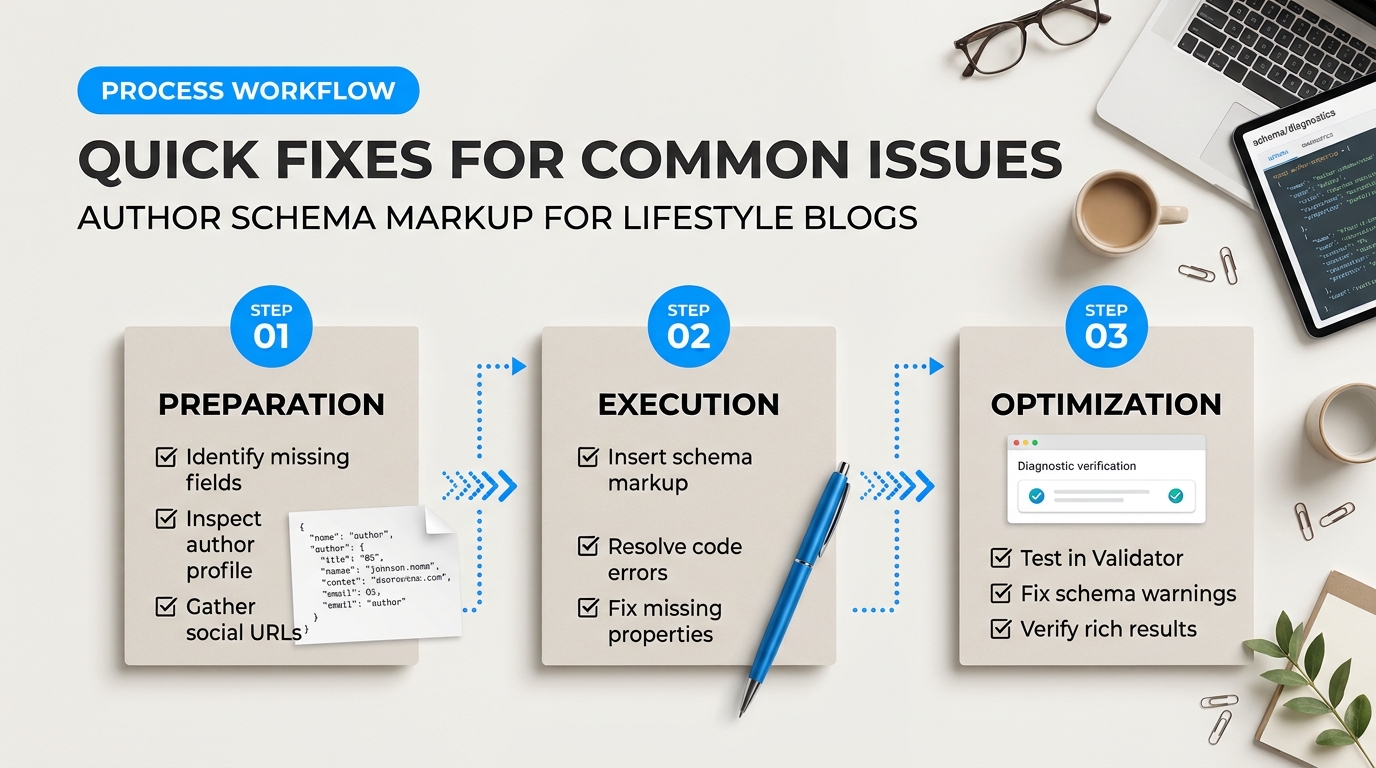
Validation errors feel like a direct hit to your credibility, especially after you’ve spent hours perfecting a seasonal decor guide or wellness routine. You run your URL through Google’s Rich Results Test, and bright red warning tags pop up. Don’t panic. Most schema errors stem from two basic mix-ups: your plugins are arguing over who gets to name the author, or your CMS is handing search bots a flat piece of text instead of a rich profile.
Fixing your author schema markup for lifestyle blogs doesn’t require rebuilding your site from scratch. You can resolve these issues within minutes once you know where the wires crossed.
Resolving Plugin Conflicts in Author Schema Markup for Lifestyle Blogs
The most common headache for lifestyle creators is duplicate author declarations. You might use Yoast SEO or Rank Math for site metadata, a recipe plugin like WP Recipe Maker for dinner posts, and a built-in theme template that creates its own microdata. When three different tools simultaneously tell search crawlers who wrote the post, Google gets conflicting signals.
Think of it like three people introducing you at a party, but each one gives you a different job title. The listener ends up confused and trusts none of them. When one plugin declares your author as “Admin” and another calls you “Jessica Vance, Holistic Nutritionist,” search algorithms struggle to connect the dots.
Here is how to stop plugins from stepping on each other:
- Pick a single source of truth: Decide whether your dedicated SEO plugin or your custom theme handles schema. Turn off schema generation in all secondary plugins.
- Disable native theme microdata: Many modern lifestyle themes print microdata directly into the HTML byline. If you use JSON-LD through an SEO plugin, use a child theme or a filter hook to strip the theme’s default microdata.
- Audit recipe and product cards: Open your recipe or affiliate card settings. Ensure the author field either pulls automatically from the main WordPress user profile or references the exact same author URL.
A marketer pointed out in a discussion on common edge cases in schema deployment that lifestyle publishers often suffer silent validation drops when theme updates overwrite manual header modifications. Always isolate your structured data from core theme files.
Upgrading Flat String Bylines to Nested Person Microdata
Another frequent warning is the dreaded “Type mismatch: Expected Person, found String.” This happens when your template outputs your name as plain text rather than a structured object.
To a search crawler, writing "author": "Elena Rostova" is just a string of letters. It doesn’t prove who you are, what else you have published, or where you operate. Google wants a nested Person entity that anchors your identity across the web.
Here is what the broken, flat output looks like versus the corrected nested format:
// The Error: Flat String
{
  "@context": "https://schema.org",
  "@type": "BlogPosting",
  "headline": "10 Minimalist Living Room Ideas",
  "author": "Elena Rostova"
}

// The Fix: Nested Person Object
{
  "@context": "https://schema.org",
  "@type": "BlogPosting",
  "headline": "10 Minimalist Living Room Ideas",
  "author": {
    "@type": "Person",
    "name": "Elena Rostova",
    "url": "https://yourlifestylesite.com/about-elena/",
    "sameAs": [
      "https://www.instagram.com/elenarostova",
      "https://www.linkedin.com/in/elenarostova"
    ]
  }
}
That small shift transforms a vague string into an interconnected entity. The bot can immediately crawl your about page and your verified social profiles to confirm your niche background.
Tool Comparison: Handling Author Fixes
Choosing how to manage these fixes depends on your comfort with code and your current setup. Here is how two popular WordPress solutions stack up when cleaning up author identities:
| Feature | Rank Math SEO (Free/Pro) | Schema Pro (Dedicated Plugin) |
|---|---|---|
| Duplicate Author Prevention | Automatically combines graph data to suppress conflicting theme strings. | Requires manual mapping to override existing plugin fields. |
| SameAs Social Linking | Pulls directly from default WordPress user profile fields. | Provides a dedicated custom schema builder for deep social arrays. |
| Nested Person Support | Native out of the box; sets author type as Person by default. | Offers granular property mapping for awards, job titles, and credentials. |
| Best For | Bloggers wanting a free, automated set-it-and-forget-it system. | Publishers running complex multi-author blogs with strict editorial needs. |
If you don’t want another plugin bloating your site, you can inject the nested snippet manually. Add a lightweight PHP snippet to your child theme’s functions.php file using the wp_head hook. Test the live page immediately afterward in the Google testing console. The red warnings should clear instantly, giving your lifestyle site the clean technical slate it needs.
How to Build a Complete Person Entity Graph for Lifestyle Creators
Think of your digital identity like a passport. A plain text author bio at the bottom of a recipe or style guide is just a photocopied sheet of paper. Anyone can print one. Google’s algorithms know this, which is why raw text rarely builds real algorithmic trust. To prove who you are, you need digital stamps that cross-reference external databases. That is what an entity graph does.
Building resilient author schema markup for lifestyle blogs requires moving beyond flat, disconnected tags. You are constructing a semantic map. This map shows search engines who you are, what you know, where your credentials live, and how your individual articles tie back to your verified identity.
Architecting Author Schema Markup for Lifestyle Blogs via Connected Nodes
Every entity graph relies on nodes. A node is simply an item—like a human, a website, or a specific article. Instead of repeating your entire biography inside every single post, you define your author profile once as a central Person node and connect your content back to it using unique identifiers (@id).
Creators frequently debate whether to build this manually or use specialized tools. In a marketing discussion on deployment pitfalls, several site owners noted that static code often breaks when WordPress themes update. Enterprise tools like Schema App or semantic optimization platforms like WordLift automate these relationships across thousands of posts. If you run a lean setup, though, a carefully structured custom JSON-LD script placed in your header or injected via your child theme works just as well without ongoing monthly software fees.
Here is how a clean, connected graph looks in practice using the standard @graph array:
{
  "@context": "https://schema.org",
  "@graph": [
    {
      "@type": "Person",
      "@id": "https://yourlifestyleblog.com/#/schema/person/jane-doe",
      "name": "Jane Doe",
      "url": "https://yourlifestyleblog.com/about/",
      "image": {
        "@type": "ImageObject",
        "@id": "https://yourlifestyleblog.com/#/schema/image/jane",
        "url": "https://yourlifestyleblog.com/wp-content/uploads/jane-portrait.jpg",
        "caption": "Jane Doe"
      },
      "jobTitle": "Holistic Nutritionist & Sustainable Living Writer",
      "sameAs": [
        "https://www.instagram.com/janedoelifestyle",
        "https://www.linkedin.com/in/janedoelifestyle",
        "https://www.wikidata.org/wiki/Q00000000"
      ],
      "knowsAbout": [
        "https://en.wikipedia.org/wiki/Sustainable_living",
        "https://en.wikipedia.org/wiki/Plant-based_diet",
        "Clean Beauty Formulation"
      ]
    },
    {
      "@type": "BlogPosting",
      "@id": "https://yourlifestyleblog.com/non-toxic-kitchen-swaps/#article",
      "headline": "10 Non-Toxic Kitchen Swaps for a Healthier Home",
      "author": {
        "@id": "https://yourlifestyleblog.com/#/schema/person/jane-doe"
      },
      "publisher": {
        "@id": "https://yourlifestyleblog.com/#organization"
      }
    }
  ]
}
The Anchor Properties: sameAs and knowsAbout
Two schema properties do most of the heavy lifting when confirming your expertise: sameAs and knowsAbout. Neglecting them leaves your entity adrift.
1. Social Verification with sameAs
The sameAs property tells search bots: “The Jane Doe writing this article is the exact same human featured on these third-party domains.” Don’t just list secondary social channels. Link directly to authoritative repositories. If you have a personal Wikidata entry, a Muck Rack profile, an Amazon Author page, or a verified LinkedIn profile, list them here. This forms a closed validation loop.
2. Topic Mapping with knowsAbout
Lifestyle is a vast umbrella. Search engines struggle when a blogger covers organic gardening on Monday, designer shoes on Wednesday, and clean cosmetics on Friday. The knowsAbout property defines your true knowledge boundaries.
You can supply simple text strings like “Capsule Wardrobes,” but pointing directly to existing Wikipedia or Wikidata URLs is far more potent. If you link your knowsAbout entry to https://en.wikipedia.org/wiki/Sustainable_fashion, you remove all ambiguity. The machine does not have to guess what you mean; it anchors your name directly to an established global knowledge base.
Field Note: Avoid stuffing dozens of loose concepts into
knowsAbout. Sticking to three to six hyper-relevant topics where you hold proven experience yields far better entity clarity than listing every trend you have ever mentioned.
Choosing Between Manual Graphs and Automated Platforms
Deciding how to maintain your markup over time depends on your publishing frequency, technical comfort, and site architecture.
| Feature / Metric | Manual Custom JSON-LD | Specialized Schema Tools (e.g., Schema App) |
|---|---|---|
| Cost | Free (Self-coded) | Subscription-based ($30 – $100+/mo) |
| Setup Complexity | Requires editing theme files or hooks | Point-and-click UI / Tag Manager integration |
| Rendering Speed | Instant; zero third-party script bloat | Fast, but depends on API script delivery |
| Maintenance Burden | High if author details frequently shift | Low; centralized entity updates across all URLs |
| Best Fit For | Solo lifestyle creators on static stacks or clean themes | Multi-author magazines and high-volume lifestyle sites |
If you run a single-author lifestyle site, a manual script or a lightweight code snippet plugin gives you total control. You bypass database queries and eliminate recurring costs. For publishing teams with guest contributors, rotating columnists, and hundreds of sponsored guides, an automated tool prevents broken schema links whenever an editor forgets to tag an author profile correctly.
How Do You Implement Custom Author JSON-LD Without Breaking Existing CMS Code?
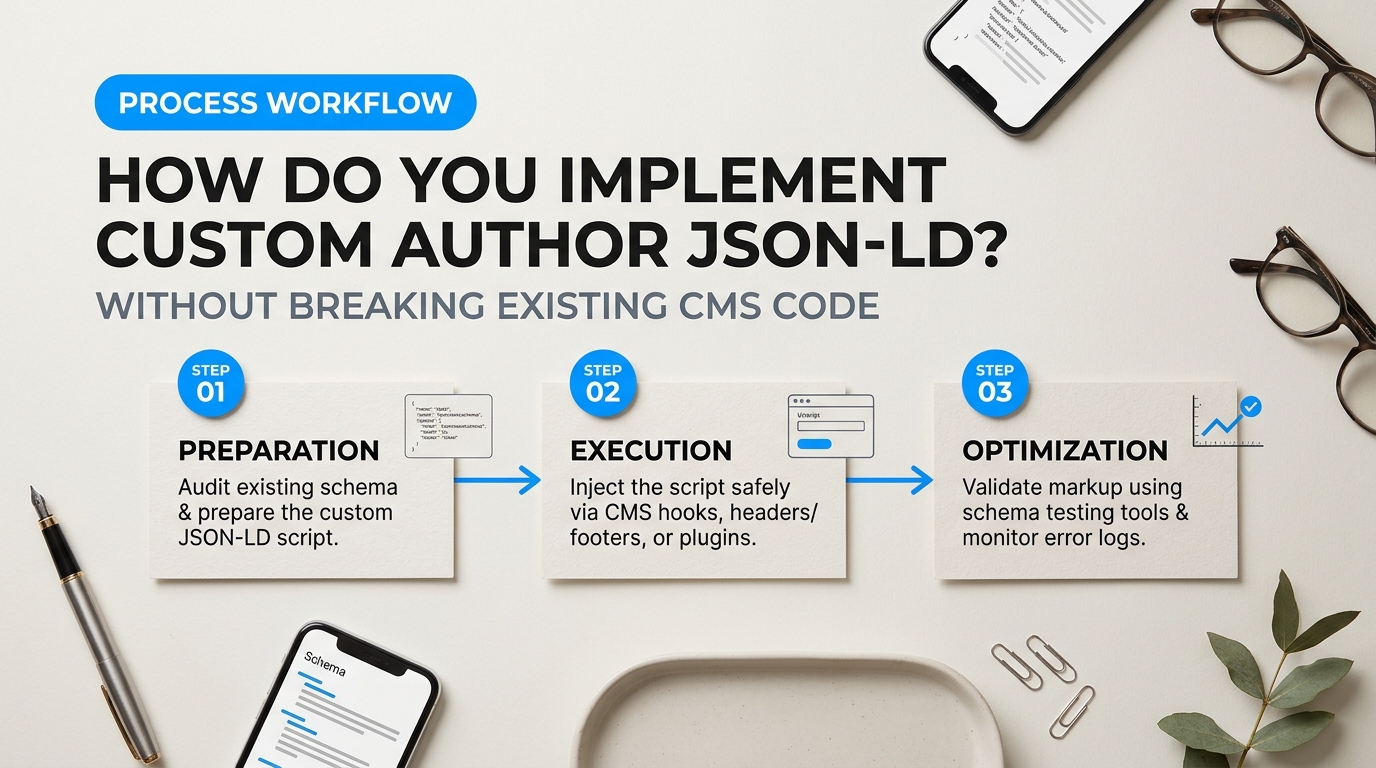
Pasting raw code into your website’s template files feels like playing operation with your digital storefront. One misplaced comma or unclosed tag can take down your blog layout, break mobile menus, or produce the dreaded white screen of death. The good news is that structured data never needs to interact with your visual design. Think of JSON-LD like a museum label placed discreetly behind a painting. Your visitors see your fashion galleries and food recipes, while search engine crawlers quietly read the backend note that explains who created the work.
When configuring author schema markup for lifestyle blogs, your main priority is keeping the code isolated from visual presentation templates. You don’t want theme updates wiping out your structured data, nor do you want third-party plugins clashing with your existing metadata.
Safe Deployment Methods for Author Schema Markup for Lifestyle Blogs
How you add this code depends on whether you run WordPress, Ghost, or a headless platform. Never paste custom JSON-LD directly into template files like single.php. When your theme updates, those changes disappear instantly. Instead, route your code through safe entry points that inject data straight into the document header.
In WordPress, you can attach your data directly to the wp_head hook using a child theme or a lightweight site management tool like WPCode. This ensures your Person graph loads cleanly on single posts without modifying core files:
add_action('wp_head', function() {
    if (is_single()) {
        $author_id = get_post_field('post_author', get_the_ID());
        $author_name = esc_attr(get_the_author_meta('display_name', $author_id));
        $author_url = esc_url(get_author_posts_url($author_id));

        echo '<script type="application/ld+json">' . "n";
        echo json_encode([
            "@context" => "https://schema.org",
            "@type" => "Person",
            "@id" => $author_url . "#person",
            "name" => $author_name,
            "url" => $author_url,
            "jobTitle" => "Lead Lifestyle Editor"
        ], JSON_UNESCAPED_SLASHES | JSON_PRETTY_PRINT);
        echo "n</script>n";
    }
});
This snippet pulls author attributes dynamically from your existing WordPress user profiles. It turns your database records into valid schema markup without touching visual templates. It runs smoothly on the server side and adds negligible processing time to your site speed.
Platform builders outside the WordPress ecosystem use similar isolation techniques:
- Ghost CMS: Head to Settings > Code Injection > Site Header. Ghost lets you use Handlebars expressions like
{{primary_author.name}}inside a standard script tag, mapping creator details automatically across your publication. - Shopify: If you run a lifestyle merchandise store with an editorial blog, place your JSON-LD directly into a dedicated snippet such as
author-schema.liquid, then render it conditionally insidetheme.liquidonly whenrequest.page_type == 'article'. - Squarespace: Open the Advanced Settings for your blog collection and inject your script into the page header block. While Squarespace lacks deep dynamic token flexibility, it provides a clean container that won’t break page styling.
A frequent problem discussed in Reddit's marketing community discussions on implementation pitfalls is theme schema conflict. When both your theme and a custom script declare competing “Person” entities, search engines get confused by conflicting signals.
Before writing custom code, check if your current plugins already output author details. Tools like Rank Math Pro and Yoast SEO generate Person graphs out of the box. Rather than piling another script on top, use their built-in filter hooks (such as Rank Math’s rank_math/json_ld hook) to modify what they already emit. This prevents duplicate markup and keeps your code light.
| Deployment Route | Estimated Cost | Speed Impact | Risk Level | Best For |
|---|---|---|---|---|
| Custom PHP Hook (Child Theme) | Free | None (0ms) | Low (if using child theme) | Self-hosted WordPress blogs seeking custom entity control |
| Rank Math Pro / Yoast SEO | $50–$100 / year | Minimal | Very Low | Creators who prefer guided forms over writing code |
| Dedicated Tools (e.g., Schema App) | $30+ / month | Low to Moderate | Low | Large multi-author publications and complex e-commerce stores |
Are expensive enterprise tools worth it for a personal lifestyle site? Usually, no. Unless you run an editorial house with dozens of contributors, an automated SEO suite or a simple custom hook gets the job done without recurring fees. Test your implementation immediately using the Google Rich Results Test to confirm your visual layout and technical signals work together in harmony.
Why Ongoing Entity Maintenance Prevents Future E-E-A-T Devaluations
Publishing your code once is never enough. Think of structured data like a digital passport. If you move homes, change your legal name, or let your papers expire, border agents will flag you for manual inspection. Search engines treat your site the same way. When Google releases a core update, its crawlers cross-examine your on-page text with your knowledge graph nodes. If old URLs 404, or if your social profiles point to deleted handles, your entity confidence score drops.
A sudden drop in E-E-A-T signals rarely comes with a warning message in Search Console. Instead, your lifestyle content slowly slips down the rankings while competing creators take over your rich snippets. Maintaining clean code stops this decay before it starts.
Maintaining Author Schema Markup for Lifestyle Blogs: The Recurring Checklist
You can run entity maintenance manually or automate it through specialized software. Lifestyle publishers often ask on forums whether manual code audits beat automated plugins. As highlighted by Reddit marketers discussing schema deployment pitfalls, common edge cases like unhandled guest profiles or modified permalinks routinely slip past site owners who rely purely on auto-generated CMS templates.
Use this four-part maintenance protocol every quarter to keep your identity graph rock-solid.
| Check Area | Frequency | Primary Risk Prevented |
|---|---|---|
| Validation Audits | Monthly | Silent syntax breaks caused by theme or plugin updates |
sameAs Profile Verification | Quarterly | Dangling social handles and dead authoritative links |
| Guest Contributor Isolation | Per Publish | Entity blending between your brand and external writers |
| Doc & Vocabulary Updates | Bi-annually | Deprecated schema properties and outdated field types |
Run your key templates through Google’s Rich Results Test after every major platform update. WordPress themes love to overwrite custom header hooks. An update might silently wipe out your nested JSON-LD graph overnight. Catching errors early preserves your site’s authority status.
Audit your external profiles. Lifestyle creators rebrand often. You might change your Instagram handle, archive an old Pinterest board, or secure a new contributor column on a mainstream magazine. If your sameAs array points to a dead Twitter handle, you feed bad data to search crawlers. Clean out broken links. Replace them with fresh, high-trust references like your verified Muck Rack profile, LinkedIn page, or podcast guest appearances.
Field Rule: Never connect a guest writer to your primary brand ID node. Treat each contributor as their own self-contained entity.
Guest contributors present a major vulnerability for lifestyle websites. When a freelance nutritionist writes a wellness article for your blog, do not mark them up under your primary site owner schema. That practice confuses search engines. It blends two unrelated reputations together. Build a separate, lightweight Person node for each guest. Link out to their personal portfolio and credentials. If that writer ever faces a public trust issue, your core blog authority stays protected.
Keep up with Google’s changing requirements. Structured data documentation changes constantly. Properties that once stood as optional often become recommended or required for rich snippet display. Google expanded support for author profile pages and richer biographical attributes to combat mass-generated web copy. When you maintain your author schema markup for lifestyle blogs, look for new fields you can adopt early, such as knowsAbout, hasCredential, or specific award properties.
Choosing the right tooling makes this workflow manageable. For small teams, a dedicated SEO framework like Rank Math Pro handles simple author entity mapping directly within the WordPress dashboard. It’s cost-effective and syncs bio changes automatically across your posts. If you run a larger lifestyle editorial brand with multiple contributors, enterprise platforms like Schema App offer deeper control. Schema App continuously tracks your entire graph, flags schema drift, and updates your JSON-LD dynamically whenever Google changes its validation rules. Whichever route you pick, schedule recurring reviews. Consistent signals build enduring search trust.
Securing Your Digital Footprint as an Authoritative Lifestyle Voice
Turning Author Schema Markup for Lifestyle Blogs into Permanent Algorithmic Resilience
Search algorithms update constantly. Your digital identity shouldn’t waver. When you publish wellness advice, home renovations, or personal style guides, search engines run those claims through strict quality checks. Without structured context, crawlers view your blog as just another collection of unverified opinions. You can change that narrative entirely. By giving machines explicit data about who you are, what you know, and where else you write, you build a permanent bridge between your content and real-world credibility.
Think of your structured data as a digital passport. If you leave the pages blank, border control holds you up. A complete entity graph stamps that passport with verified credentials, social footprints, and topical associations. As creators debate manual workflows versus automated tools in community discussions regarding structured data deployment pitfalls, the core lesson remains consistent: accuracy beats sheer volume every single time. A single broken bracket or conflicting type declaration can wipe out your rich snippets across an entire domain.
Choosing the right toolkit makes maintaining this data much easier over time. If you run a WordPress site on a lean budget, Rank Math Pro offers an intuitive schema generator that lets you map out custom Person and Article properties without touching template files. It’s lightweight, costs around $70 per year, and prevents plugin bloat. For larger editorial teams running complex publications across headless CMS setups, dedicated enterprise engines like Schema App provide automated entity graphs and real-time validation monitoring. While Schema App carries a much higher monthly price tag, it eliminates the risk of human error across dozens of contributing writers.
Structured data isn’t a quick ranking hack you configure once and forget. It’s the technical baseline that tells search models your perspective has earned the right to be seen.
Treating author schema markup for lifestyle blogs as a foundational asset protects your hard work from unpredictable core updates. When you clean up duplicate markup, connect your professional profiles, and anchor your bylines to clear entities, you remove guesswork for search engines. Take an afternoon to audit your existing byline code. Fix the nested errors, monitor your validation tests in Google Search Console, and give your personal brand the algorithmic security it deserves.